Email Us

SOLARMAN Business-Makes Data More Valuable

Table of Content [Hide]

    One important feature of SOLARMAN Business is data comparison. Through automatic calculation & analysis and data tracing, all PV plant data can be displayed intuitively via charts.
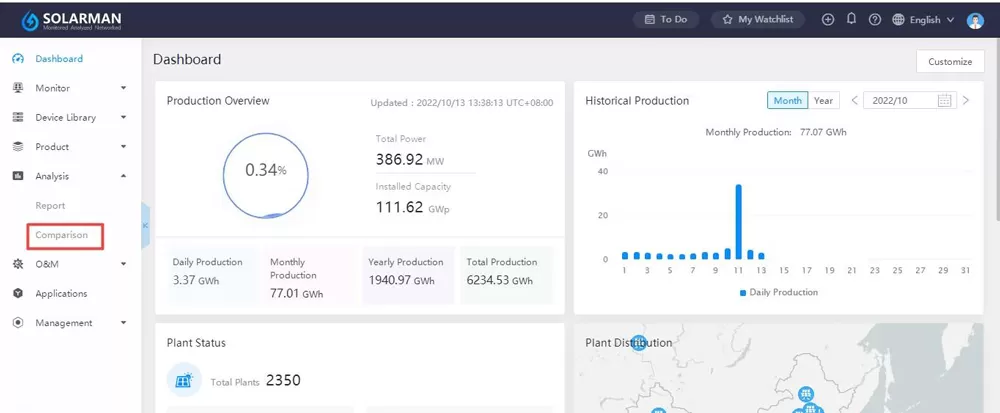
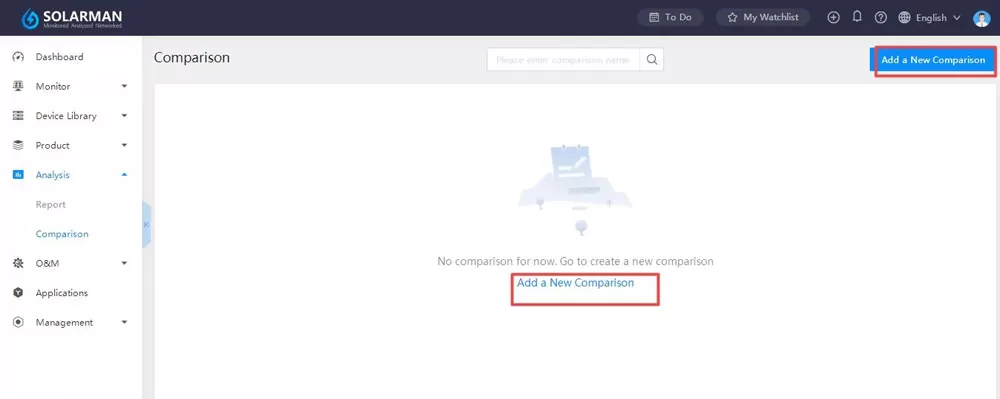
    Log in to SOLARMAN Business, click “Analysis”-“Comparison”. Users can click “Add a New Comparison” to proceed.
    SOLARMAN Business-Makes Data More Valuable

    SOLARMAN Business-Makes Data More Valuable


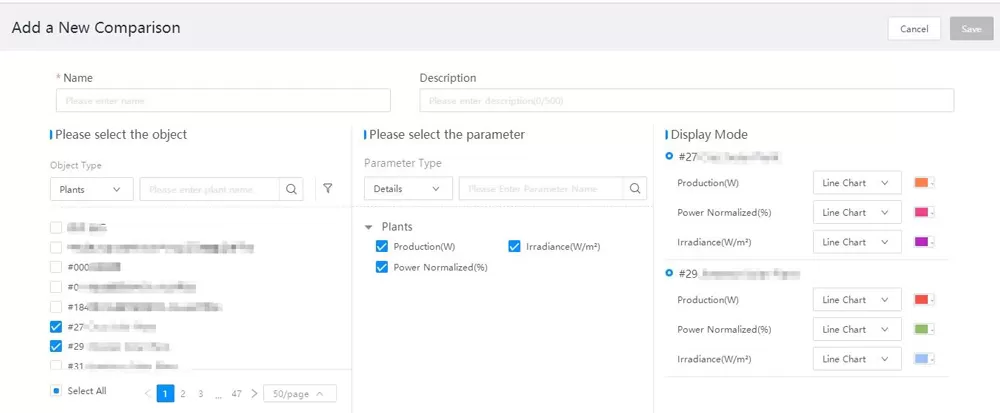
    Tick target plants and select the parameter. System will mark different colors for different parameters automatically. Then enter the name for this comparison and click “Save”.

    SOLARMAN Business-Makes Data More Valuable


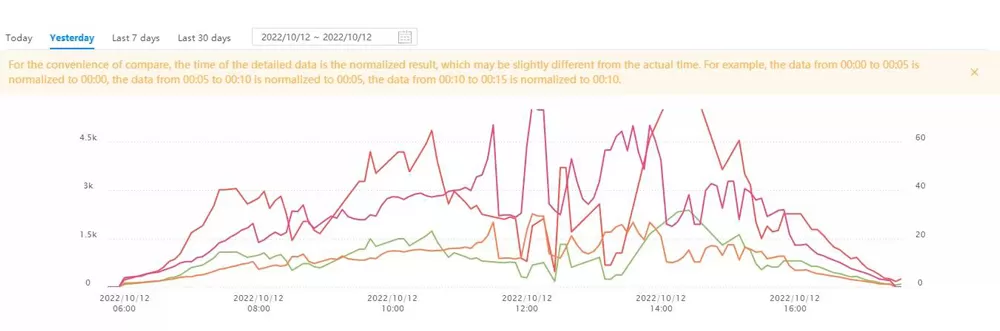
    Users can select time range according to their own need. There are two types for selection. One is customized time selection. Another is time range label. And the PV plant data will be displayed in line chart form.

    SOLARMAN Business-Makes Data More Valuable


    Data comparison makes data more valuable, which also reduces personnel and time cost significantly. Personalized data comparison with multi-dimensional analysis can show periodic fluctuation at a glace.


    References
    Related Hardware Products
    Blog & Events
    SOLARMAN Showcases Smart Energy Solutions at KEY 2026 in Italy
    SOLARMAN Showcases Smart Energy Solutions at KEY 2026 in Italy
    SOLARMAN Showcases Smart Energy Solutions at KEY 2026 in ItalyOn March 4, the KEY – The Energy Transition Expo 2026 officially opened at the Rimini Exhibition Centre in Italy, gathering exhibitors an...
    SOLARMAN Showcases Smart Energy Solutions at KEY 2026 in Italy Mar 21, 2026
    How to Install the P1 Meter Reader?
    How to Install the P1 Meter Reader?
    In today’s world of smart energy management, having real-time insight into your electricity usage is more important than ever. Whether you’re a homeowner aiming to optimize energy consumption or a t...
    How to Install the P1 Meter Reader? Apr 21, 2025
    We use cookies to improve your browsing experience, provide personalized content, and analyze website traffic. By clicking 'Accept All', you agree to our use of cookies. Privacy Policy
    Setup
    Only necessary
    Accept All